
A Light Cone supplies stats and an ability
Every Character has one Light Cone equipment slot. The cone contributes HP, ATK and DEF, and carries an ability with its own rules. These are separate benefits: a large stat number does not tell you whether the ability will help its wearer.
The cone’s HP, ATK and DEF join the Character’s own base stats. Percentage bonuses then work from that combined base. This is why leveling a cone can matter even when its ability has not changed. It is a different kind of investment from improving the main stats and substats on Relics.
AstraVoy’s Light Cones directory lets you inspect the items themselves. To compare them meaningfully, first separate three questions: can this Character use the ability, can they activate it, and does the result help their job?
Match the Path before comparing bonuses
A Light Cone’s ability normally works only when its Path matches the wearer’s playable Path. An off-Path cone still supplies its base stats, but its ability is inactive. Matching an Element, an illustration or a Character’s story affiliation does not substitute for matching the Path label.
Meshing Cogs, for example, is a Harmony cone. Giving it to a Character from another Path does not turn its Energy effect into a universal battery. A different Character shown in a cone’s art also does not stop an eligible wearer from using it.
Path matching is the first filter, not the final recommendation. Two Harmony Characters can take very different actions. They may both qualify for a cone while only one can make good use of its condition.
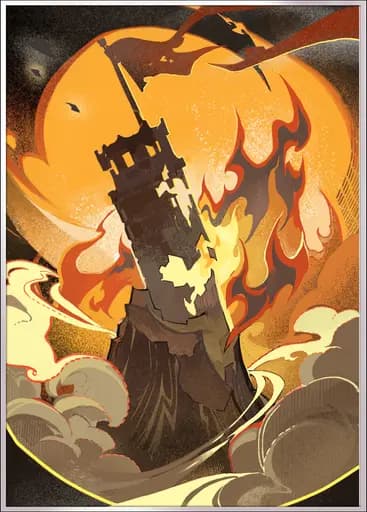
Collapsing Sky
Destruction
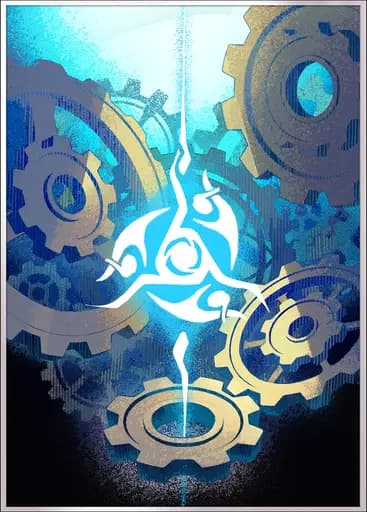
Meshing Cogs
Harmony

Past and Future
Harmony
Read the trigger, recipient and limit
Start with the action that activates the ability. Then identify who receives the benefit and which part of their kit it affects. Finally, check duration, stacking and any limit on how often it can trigger. A bonus that looks strong in isolation may do little during the turns that matter.
Scroll horizontally to see all columns.
| Example | What to notice | Question to ask |
|---|---|---|
| Collapsing Sky | Improves the wearer’s Basic ATK and Skill damage. | Are those the attacks I want to improve, or is the important damage elsewhere? |
| Meshing Cogs | Restores Energy after its wearer attacks or gets hit, with a once-per-turn restriction. | Will the wearer actually trigger it, and does their Ultimate use Energy? |
| Past and Future | After the wearer uses a Skill, the next ally taking action receives the damage benefit. | Will the intended attacker act next, or will another ally receive it? |
Notice how these questions change the comparison. Past and Future asks about turn order; Collapsing Sky asks about damage type; Meshing Cogs asks about actions and a resource. Rarity alone cannot answer any of them.
Leveling and Superimposition solve different problems
Leveling raises the cone’s base stats. Ascension opens the next level range when its requirements are met. Light Cones can eventually reach level 80; the available range depends on progression and ascension.
Superimposition improves the cone’s ability through ranks S1 to S5. It does not replace leveling, change the cone’s Path or improve every possible number in its text. Read the rank comparison to see exactly which values increase.
For Meshing Cogs, the Energy restored by a qualifying trigger rises from 4 at S1 to 8 at S5. The once-per-turn restriction remains. The higher rank improves the benefit; it does not remove the condition you learned to check.
An S5 cone left at a low level can therefore have a useful ability but weak base stats. A leveled S1 cone has developed stats while keeping its first-rank ability. Compare like-for-like levels and ranks before attributing a performance difference to rarity.
A duplicate is also another usable item
Superimposition usually consumes another copy of the same cone. Some cones instead have a dedicated Superimposition material. Use the item’s actual enhancement screen to confirm the requirement; do not assume every special or event cone works identically.
Before merging a valuable duplicate, ask whether two Characters could use separate copies at the same time. One stronger ability and two usable equipment slots are different benefits. Neither is automatically better for every roster.
Compare the next rank’s concrete improvement with the value of retaining that second item. If you cannot yet identify the improvement you need, keeping the copy preserves your options. A signature label is not, by itself, a reason to spend more or merge more.
Choose for the Character’s job
Read the relevant Character’s kit before choosing equipment. What does their important action scale with? Which attacks matter? Do they need damage, healing, protection, reliable debuffs or resource support?
- Check eligibility. Confirm the Path requirement.
- Check the real rotation. Identify when the ability triggers and whether it benefits the intended action or ally.
- Check the comparison. Use the levels and Superimposition ranks you actually own.
- Check the cost. Improve an appropriate existing option before assuming a new item is necessary.
There is no universal rule that a lower-rarity cone beats a higher-rarity one, or the reverse. A better comparison explains which part of the Character’s job improves and under what conditions.
Put it into practice
Pick one cone you already own. Identify its Path, trigger and recipient, then compare its current and next Superimposition ranks. Check those requirements against the wearer’s actual abilities before spending materials.
For the resource side of that decision, continue with Skill Points and Energy. For current availability, use Banners. Character-specific equipment recommendations remain on Character Guide tabs.